HOLLA - Video Call
- 4.2
- Rating
- 10.00M
- Installs
- Free
- Price

 Analysis by App-foxy
I installed HOLLA - Video Call expecting a quick way to meet people through live video, and that is exactly where its identity becomes clear. This is a social app from HOLLA Group built around video conversations with people who share your interests. It is free to install, aimed at mature users, and available for Android devices running version 8.0 or later. I found the experience more immediate than ordinary social feeds because the main point is not browsing posts for a long time; it is deciding whether a live conversation feels worth having.
That focus can be refreshing if you are tired of carefully edited profiles and endless scrolling. It can also feel intense if you prefer to get comfortable through messages before showing your face. My overall impression is that this app works best as a spontaneous social doorway rather than a complete replacement for messaging, group communities, or established video-call tools. The most important question is not whether it has a large audience, but whether you enjoy meeting people with very little preparation.
Why live video changes the social experience
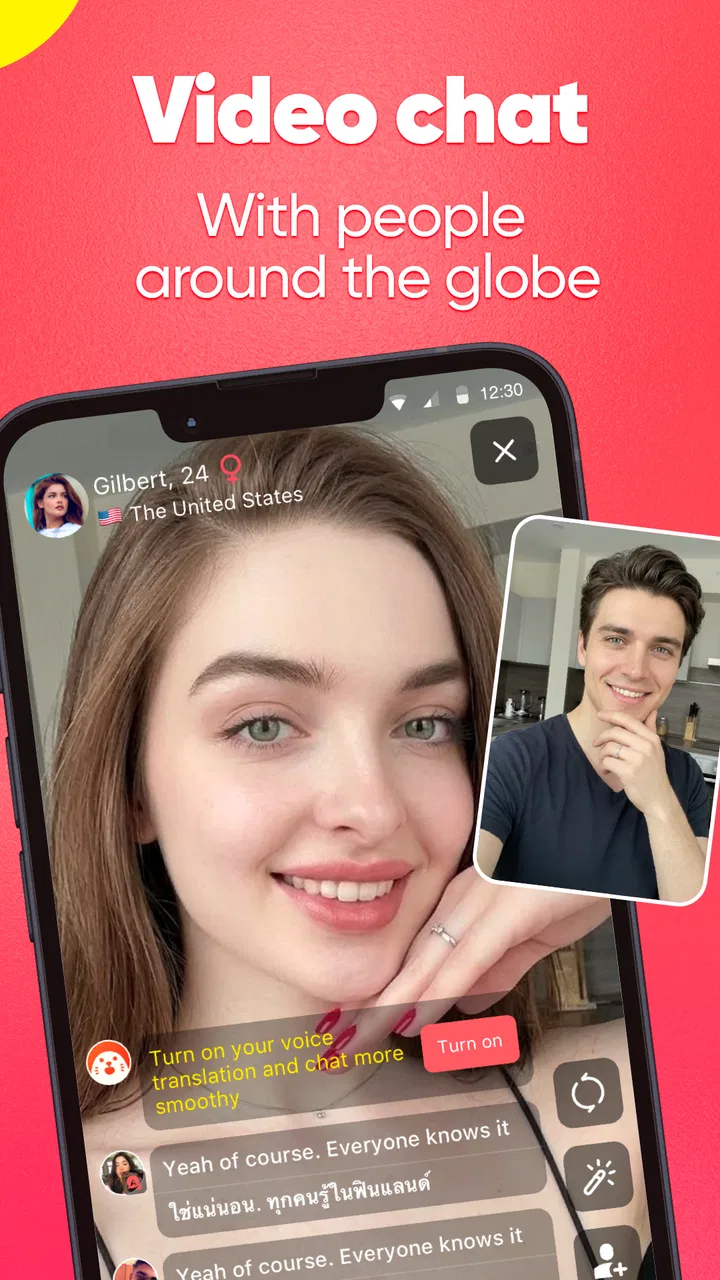
The defining capability here is direct video chat with people connected by shared interests. In practice, that changes the rhythm of meeting someone. A written profile gives you time to shape an impression, while a live call asks you to react naturally. Voice, facial expression, pauses, and energy all become part of the first exchange, so conversations can feel more human when both people are comfortable with that format.
You May Also Like

 AccuWeather: Weather Radar
AccuWeather Review: A Quick, Clear Forecast for Everyday Decisions
For everyday plans, the best forecast is the one you can understand quickly. AccuWeather makes rain timing, radar, and local conditions easy to act on, with a few trade-offs.

 Hill Climb Racing
Why Hill Climb Racing Still Turns Crashes Into One More Run
A tiny car, a bumpy hill and one more upgrade: Hill Climb Racing keeps resurfacing because its simple chaos makes every near-miss feel personal.

 AliExpress - Shopping App
AliExpress Makes Global Shopping Feel Personal, but Shoppers Bear the Risk
AliExpress turns a global marketplace into a pocket-sized discovery engine. Its reach is useful, its shopping loop compelling, and its trade-offs easy to miss.

 Lords Mobile: Kingdom Wars
Lords Mobile Is a Kingdom-Building Routine, Not a Quick Match
A case-by-case verdict on the building, battles, device demands, and social commitments that make Lords Mobile rewarding for some players and exhausting for others.

 PDF Scanner app - TapScanner
TapScanner Makes Paperwork Easier to Capture, Check, and Share
TapScanner makes scanning with a phone feel less like a rescue operation and more like a dependable step in getting work done. Its capture tools are useful, though not flawless.

 Block Blast!
 Shows How Much a Puzzle Game Can Leave Out
A quiet grid game shows why puzzle players increasingly value instant clarity, repeatable skill and low-pressure play—and where the genre still needs to catch up.
More From Our News Desk
View All News


I also noticed that video removes some of the ambiguity found in text-only social apps. A short conversation can reveal quickly whether two people have a compatible sense of humor, similar curiosity, or simply the patience to keep a conversation moving. That is useful for users who dislike spending days exchanging small messages before discovering that the interaction has no spark.
At the same time, live video is not automatically more meaningful. Some users will be distracted, shy, or unsure what to say. A shared interest gives a conversation a starting point, but it does not guarantee a good match. I would describe the app’s strength as speed and presence, not depth by default. The quality of the experience depends heavily on how willing you are to participate rather than passively consume.
The audience size helps explain why the app can feel active. It has passed ten million installs and holds an average rating of 4.2 from roughly 457 thousand ratings. Those figures suggest a well-established social service rather than a tiny experiment, but they should not be treated as a promise that every conversation will suit you. A large pool increases the chance of finding an interesting person while also increasing the variety of personalities, communication styles, and expectations you may encounter.
What a first session feels like
My advice is to enter the first session with a simple goal: have one decent conversation, not an unforgettable one. That small change in expectations makes the format less awkward. I would also prepare two easy opening topics connected to your interests. If the other person responds with energy, you have somewhere to go; if not, you are not forced to invent a complete conversation from nothing.
The video-first design makes body language useful, but it also makes your surroundings part of the interaction. Before starting, I would choose a reasonably quiet place, check what is visible behind me, and avoid sharing anything that identifies where I live or work. This is not about making the session look polished. It is about keeping attention on the conversation and maintaining a sensible privacy boundary.
One practical insight is that the app is easier to enjoy when you treat each call as a short social experiment. Instead of trying to impress someone, notice whether the exchange feels respectful and reciprocal. Does the person ask questions as well as answer them? Do they accept a change of subject? Do you feel comfortable ending the call? These checks are more useful than judging a connection only by how entertaining the first minute feels.
Using shared interests without turning them into a script
The interest-based angle is most valuable when you use it as a bridge, not a checklist. If you both like the same kind of music, games, travel, or creative activity, begin with a specific question rather than a broad one. Asking what someone has enjoyed recently usually creates more room for a real answer than asking them to describe their entire personality.
I would avoid assuming that a shared interest means shared opinions. Disagreement can make a conversation more memorable, but only when both people remain respectful. The app is at its best when the common topic lowers the barrier to speaking while the conversation still allows each person to bring a different perspective.
Another useful habit is to leave the first interaction before it becomes tiring. Ending on a positive note is often better than stretching a weak conversation until both people become uncomfortable. This is especially important in a service built around quick encounters, where the ability to move on is part of the experience rather than a failure.
A realistic everyday use case
Imagine finishing work or classes with twenty minutes to spare and wanting human contact without arranging a formal call with a friend. A social feed might give you content to consume, while a messaging app may require an existing contact. This app fits the middle ground: you can open it with a particular interest in mind and see whether a live conversation develops.
In that situation, I would use it when I have enough energy to be present but not enough time to plan a long social outing. I would keep the first exchange light, talk about the interest that brought me there, and end quickly if the tone feels wrong. That workflow makes the app useful as a flexible social break rather than something that demands a large commitment.
It can also suit someone who has moved to a new city or is trying to become more comfortable speaking with unfamiliar people. The live format offers practice that text cannot provide: listening in real time, responding without rewriting every sentence, and recognizing when another person wants to continue or change direction. I would not treat it as a substitute for building local friendships, but it can help reduce the initial hesitation that makes meeting new people difficult.
For a user who wants a focused community around a very specific hobby, however, a dedicated forum or group chat may be better. Those spaces usually provide more context before contact and make it easier to return to an ongoing discussion. HOLLA is more appealing when spontaneity matters more than a detailed history of the people you meet.
Where the app is stronger than ordinary alternatives
Compared with a conventional messaging app, this experience removes the need to exchange several introductory messages before discovering whether conversation feels natural. Compared with a social network, it places the person rather than the feed at the center. Compared with a standard video-call service, it is designed for meeting people through social discovery rather than calling someone you already know.
That distinction is important. If I already know whom I want to contact, I would choose a familiar messenger or video-call tool because it gives me more control over the relationship and the timing. If I want to browse a carefully organized interest community, I would choose a forum or group platform. I would choose this app when I want the possibility of an immediate conversation and accept that the result will be unpredictable.
The trade-off is that convenience can reduce context. A profile, message history, or shared group often helps you decide how much trust to place in an interaction. A fast video encounter gives you less preparation, so your own judgment has to do more work. That is one of the central realities of using the service, not a minor detail.
Privacy, comfort, and personal boundaries
Because the camera is central, I would recommend setting personal rules before using the app. Do not reveal your address, daily routine, workplace details, financial information, or private contact information simply because a conversation feels friendly. A pleasant first call is not the same as knowing someone well.
I would also keep the ability to end an interaction firmly in mind. You do not owe a stranger a long explanation for leaving a conversation. If the other person pressures you, becomes insulting, asks for sensitive information, or ignores a clear boundary, ending the call is the right response. The app’s social value depends on users being able to participate without feeling trapped.
For parents, this is not an app I would recommend handing to a child. It carries a Mature 17+ content rating, and the live nature of the service makes adult supervision especially important for younger users. Even older users who are new to random video conversations should begin cautiously and avoid assuming that a friendly presentation equals trustworthy behavior.
A less obvious consideration is emotional energy. Live interaction can be tiring in a way that scrolling is not. If you are already stressed, lonely, or easily affected by rejection, a run of poor conversations may leave you feeling worse. I would use it when I can treat an awkward encounter as temporary, not when I need the app to repair my mood.
The costs behind a free download
The app is free, which makes trying it straightforward, but it includes optional in-app purchases ranging from $0.49 to $99.99 per item. I would approach those purchases slowly. First decide whether the basic video experience fits your personality; only then consider whether an optional payment genuinely improves the way you use the service.
The wide purchase range is a reminder to check the amount carefully before confirming anything. A low-cost trial decision and a high-cost impulse decision are very different. I would also avoid spending simply because a conversation went well. Enjoying a social interaction does not mean you need to buy something immediately afterward.
Another point is that the free entry can attract users with very different expectations. Some may be looking for casual conversation, others for new friendships, and others for attention without much effort. The app’s interest-based positioning helps narrow the starting point, but it does not make every interaction equally serious. Clear communication is necessary if you want the relationship to move beyond a brief call.
Small friction points that affect daily use
The spontaneity that makes the service appealing can also make it inconsistent. You may find an engaging person one day and several flat exchanges the next. That variation is normal for a live social matching experience, but users who want predictable results may find it frustrating.
Video also demands more from your device and surroundings than text. A weak connection, background noise, poor lighting, or a busy room can make a good conversation harder. I would not judge the app after one difficult session if the problem clearly comes from the environment. On the other hand, if you regularly need quiet, privacy, and uninterrupted time, the format may not fit your routine.
The current version is 9.17.0, and the app supports Android 8.0 and later. That makes it accessible to many Android users, although compatibility alone does not guarantee that every older phone will deliver a comfortable video experience. If your device struggles with camera apps or multitasking, I would keep expectations modest and test it without committing money.
There is also a social learning curve. Text lets you edit your response and hide a moment of hesitation. Video exposes those pauses, which can feel uncomfortable at first. I found that the best adjustment was not trying to eliminate every awkward moment. A simple question, a smile, or an honest change of topic usually works better than forcing a polished performance.
Who gets the most from this format
I think the strongest audience is adults who enjoy spontaneous conversation, want to meet people beyond their existing contacts, and are comfortable making quick judgments about boundaries. It is particularly suitable for someone who finds traditional social feeds passive and wants interactions that feel more immediate.
It can also help socially curious users practice conversation. The benefit is not that every call becomes a friendship. The benefit is repeated exposure to different communication styles, which can make starting and ending conversations feel less intimidating over time. I would use it in short sessions and reflect on which topics produced genuine exchanges rather than measuring success by the number of calls.
People who should skip it are those seeking a controlled professional meeting, a private call with known contacts, or a carefully moderated long-term interest group. It is also a poor fit if you dislike being on camera, need extensive background information before talking, or find unexpected interactions stressful. A standard messenger, a group community, or a conventional video platform will serve those needs more comfortably.
Users who are willing to try it should begin with practical limits: choose a safe setting, keep early conversations general, avoid rushing into private contact, and stop when the exchange no longer feels respectful. Those steps do not remove all uncertainty, but they make the app’s central feature easier to enjoy on your own terms.
My recommendation after using it
After spending time with HOLLA - Video Call, I see it as a focused social tool rather than an all-purpose communication app. Its live video capability creates a faster, more personal first impression than text, and the shared-interest starting point can make introductions less random. The same immediacy means you need stronger boundaries and more tolerance for uneven conversations.
The large user base, free entry, and mature positioning make it easy to understand who the service is aimed at. I would recommend it to an adult who wants spontaneous video conversations and is comfortable treating each interaction as a brief opportunity, not a guaranteed connection. I would not recommend it to someone who wants certainty, extensive profiles, or a private way to call people they already know.
My final advice is to try it without spending anything, use it in a setting where you feel secure, and judge it by the quality of the conversations you can comfortably have rather than by how many people appear. If you enjoy the directness of live social discovery, this app can add a refreshing change to an otherwise text-heavy routine. If you prefer control and context, the usual messaging and community alternatives will probably be the better choice.
FAQs for HOLLA - Video Call
01What is HOLLA - Video Call and how does it work?
HOLLA - Video Call is a social video-chat app designed for meeting and talking with people from different countries. After creating an account, you can use its discovery features to connect with other users through live video conversations. Depending on the available options, you may be able to apply preferences such as language or location, although matches can still be unpredictable and depend on the current user community.
02Is HOLLA - Video Call free to download and use?
HOLLA can generally be downloaded for free on supported Android and iOS devices, but some features may require in-app purchases, virtual credits, or a premium subscription. The free experience may include limitations, advertisements, or restricted access to certain matching and communication tools. Before spending money, review the current pricing, renewal terms, and purchase conditions shown in the app store and inside the application.
03Is HOLLA - Video Call safe for teenagers and younger users?
Users should carefully check the current age rating before installing HOLLA, because random video-chat services can expose people to strangers and unpredictable conversations. The app may provide reporting, blocking, moderation, or privacy controls, but these tools cannot guarantee that every interaction will be appropriate. Parents should discuss online safety, avoid sharing personal information, and supervise younger users where necessary.
04What privacy information does HOLLA require?
HOLLA may request information such as an account identifier, profile details, device permissions, and access to the camera and microphone so that video conversations can function. The exact data practices can change with updates, so read the app’s privacy policy before registering. Only grant permissions that are necessary, avoid displaying private surroundings, and remember that conversations or profile activity may involve other users.
05What should I do if I encounter inappropriate behavior or technical problems?
If another user behaves abusively, makes unwanted requests, or shares inappropriate content, end the conversation immediately and use HOLLA’s block and report tools if available. Do not provide passwords, payment details, your address, or private contact information. For connection, camera, or microphone problems, check permissions, update the app, test your internet connection, and contact official support if the issue continues.
Pros
- Quickly connects you with people worldwide through live video calls.
- Simple interface makes starting a conversation easy for new users.
- Useful matching filters help narrow connections by gender or location.
- In-app translation can reduce language barriers during conversations.
- Blocking and reporting tools help manage unwanted interactions.
Cons
- Some features and filters may require paid credits or subscriptions.
- Random video chats can expose users to inappropriate or offensive behavior.
- Video quality depends heavily on both users’ internet connections.
- Frequent notifications may feel intrusive unless carefully adjusted.
- Sharing personal details with strangers can create privacy and safety risks.

HOLLA - Video Call
Gallery